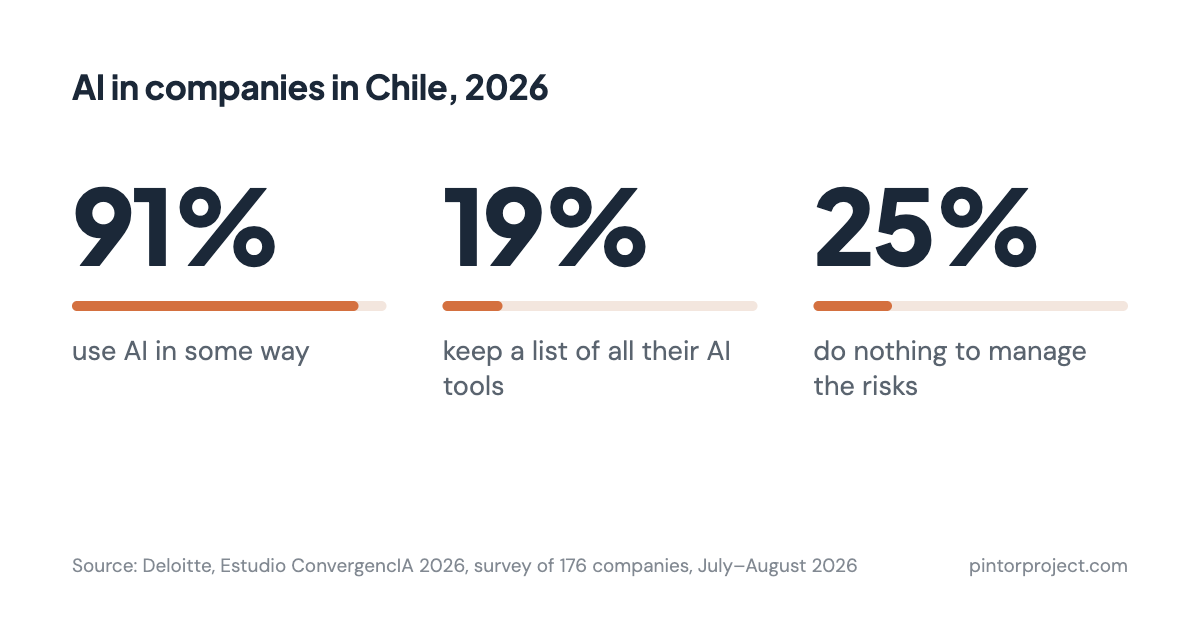
These days a sales manager can build a customer portal over a weekend with an AI assistant, and an operations manager can hire a freelancer to build a small app for much less than a software company would charge. I think this is great. Teams get the tools they need quickly, without waiting months for a project to start. A 2026 Deloitte study of 176 companies in Chile found that 91% of them already use AI in some way, so this is happening almost everywhere.
I was at Deloitte's AI Summit on October 27, 2026, where they presented this study, and it matches what we see with our own clients. People in every kind of role, from interns to managers, are building tools for their company, for things like backups, rebate calculations, network checks, field service and their own reports.
A few years ago, every project started with a price quote and a contract, and that paperwork made someone decide who owns the software, where its data is kept and who fixes it. Now there's no paperwork, so you have to check who owns the tool, where its data goes and who can fix it yourself. Each check takes a few minutes.
Most companies haven't started checking their tools yet. The same Deloitte study found that only 19% keep a list of all the AI tools they use, and 25% do nothing at all to manage the risks.
Make sure the company owns it
Look at whose name is on the hosting account, the web address (the domain) and the credit card that pays for them. If they're in the name of the person who built the tool, move them into the company's name. It's also worth asking the builder to sign a short document that says the code belongs to the company.
Know where the data goes
Make a list of the customer names, prices or invoices the tool keeps, and check whether it sends anything into your main business system, like the ERP. Then decide who should be able to see that data.
Make sure someone else can fix it
Ask the builder to show a second person how the tool works, and to write down the basics. Then ask someone to restore a backup while you watch, so you know it works. If the tool handles customer data, have someone check it for security problems.
When to do this
A tool that one person uses to try something out can wait. Do these checks once other teams depend on the tool, once it handles money or customer data, or once an auditor or a big customer asks about it.
A free way to check
To make this easier, we made Check Engine. It's ten questions about one tool that any manager can answer, and we don't need access to your systems. You get five warning lights, like the ones in a car, that show which check to do first. It's free. We check and report; we don't guarantee.
Keep building the tools your team needs, and thanks for reading.
If you'd like to try it, pick one tool your company built, or paid someone to build, and answer ten short questions about it. It takes a few minutes.